How APIs Work (The Classic Approach)
Listen to this article
Before we get technical
Have you ever sat down at a restaurant and tried to walk into the kitchen yourself to place your order? Of course not — that would be chaos. You tell the waiter what you want, the waiter carries your request to the kitchen, and the kitchen sends back your food. That little exchange is surprisingly close to how software talks to other software. There's a messenger in the middle, following specific rules, making sure the right information gets to the right place. This system has worked beautifully for decades — but it also has some frustrating limits that start showing up fast when things get complicated.
What you'll learn
- Define what an API is using a simple restaurant analogy
- Understand how a request and response cycle works
- See why connecting lots of APIs requires lots of custom code
- Recognize the limits of APIs when AI needs to use many tools
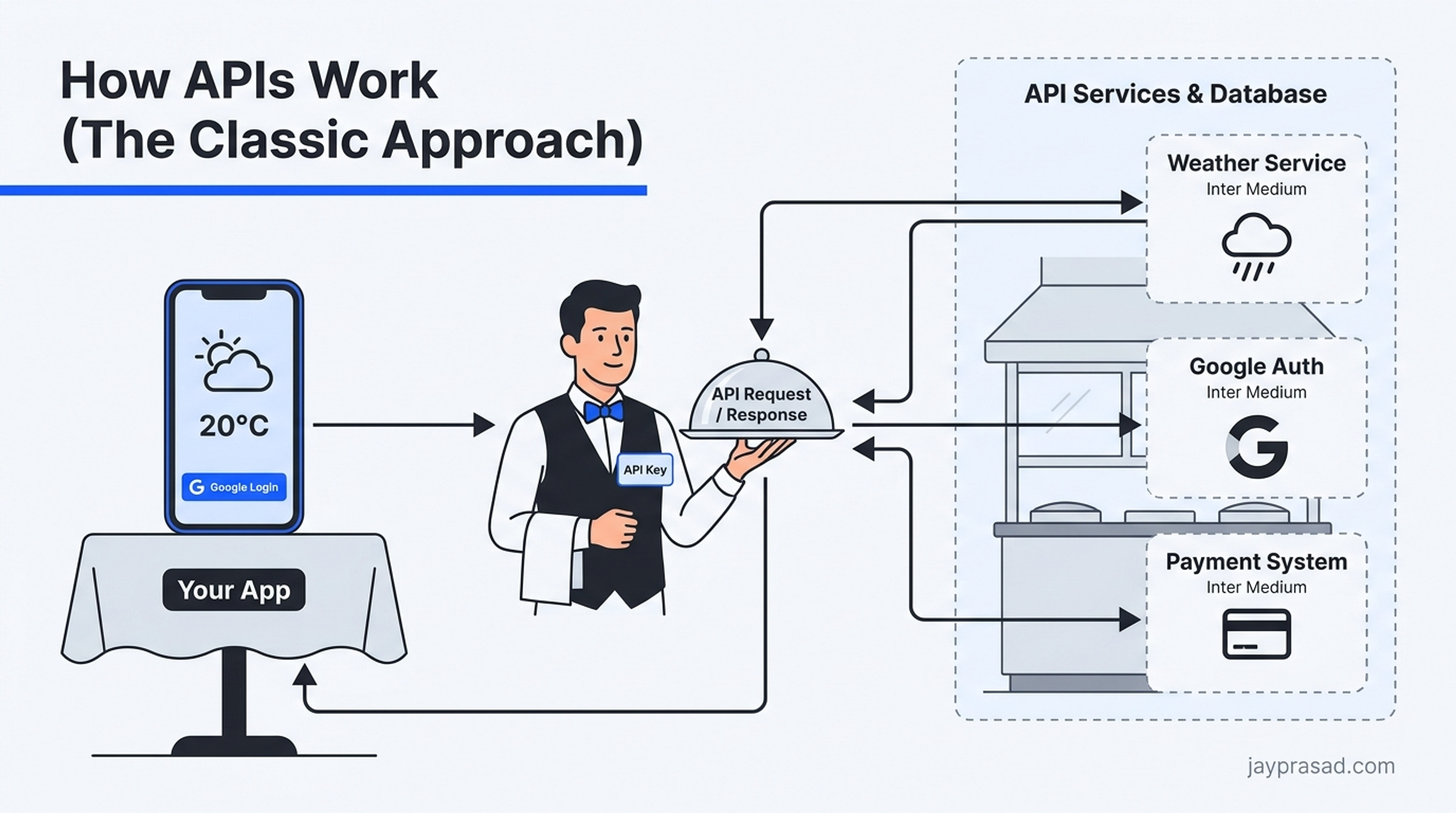
Last time, we saw that AI needs to reach outside tools to be truly useful. Let's look at the method that's been around for years. The API. An API — Application Programming Interface — is a messenger. Think of it like a waiter at a restaurant. You sit at your table, look at the menu, and tell the waiter what you want. The waiter walks to the kitchen, places your order, and comes back with your food. You never go into the kitchen yourself. You never talk to the chef directly. The waiter handles everything in between. That's what an API does. It sits between two pieces of software and carries messages back and forth so they can work together without ever needing to know each other's inner workings.
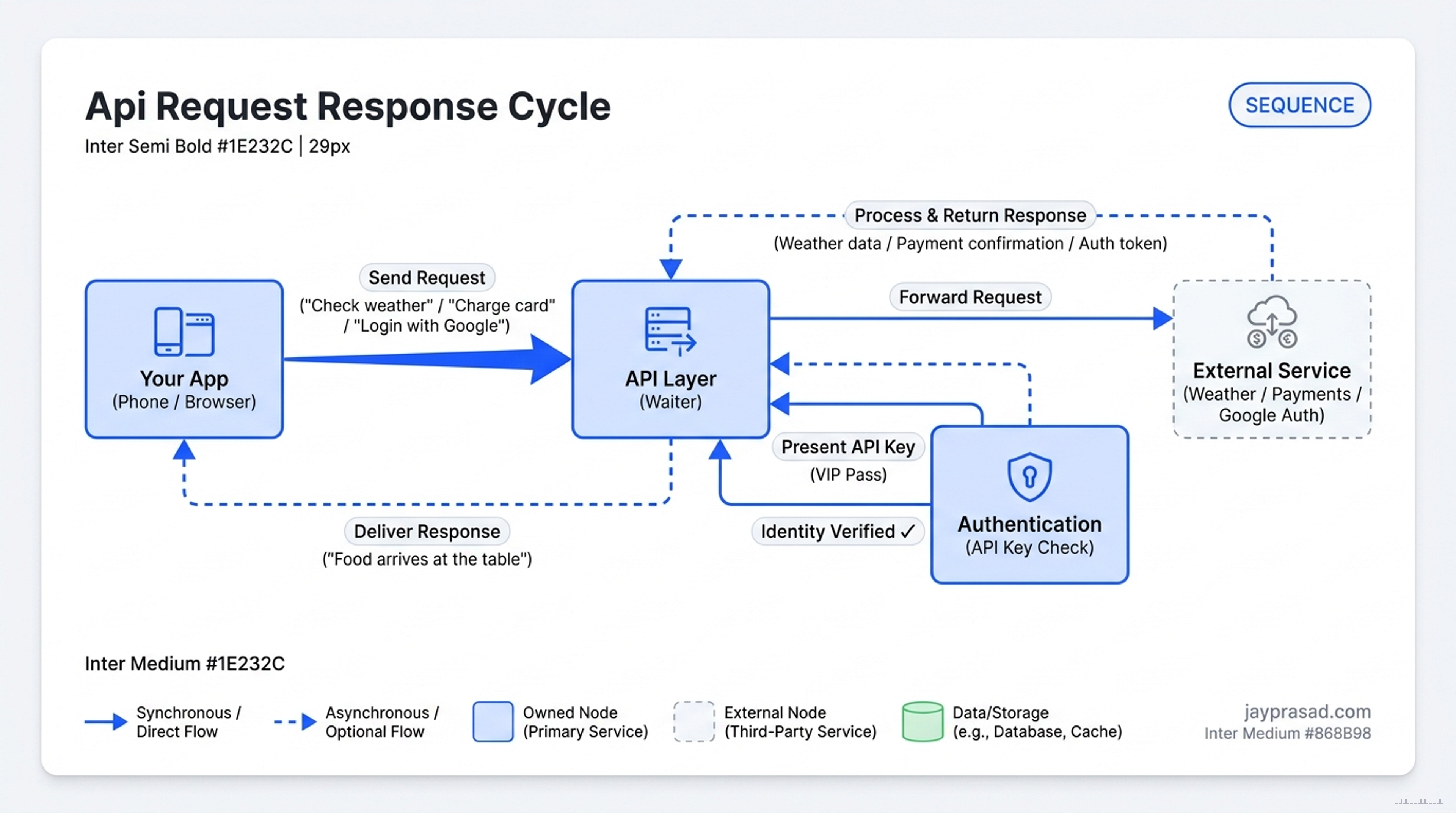
How does this actually play out? It follows something called a request and response cycle. Your app sends a request — that's like telling the waiter your order. The request travels over the internet to another service. Maybe a weather app, maybe a payment system, maybe a database full of customer records. That service processes what you asked for and sends back a response. That's your food arriving at the table. Every single time you check the weather on your phone, every time you log into a website using your Google account, every time an online store charges your credit card — an API request and response is happening behind the scenes. Invisible, but everywhere.
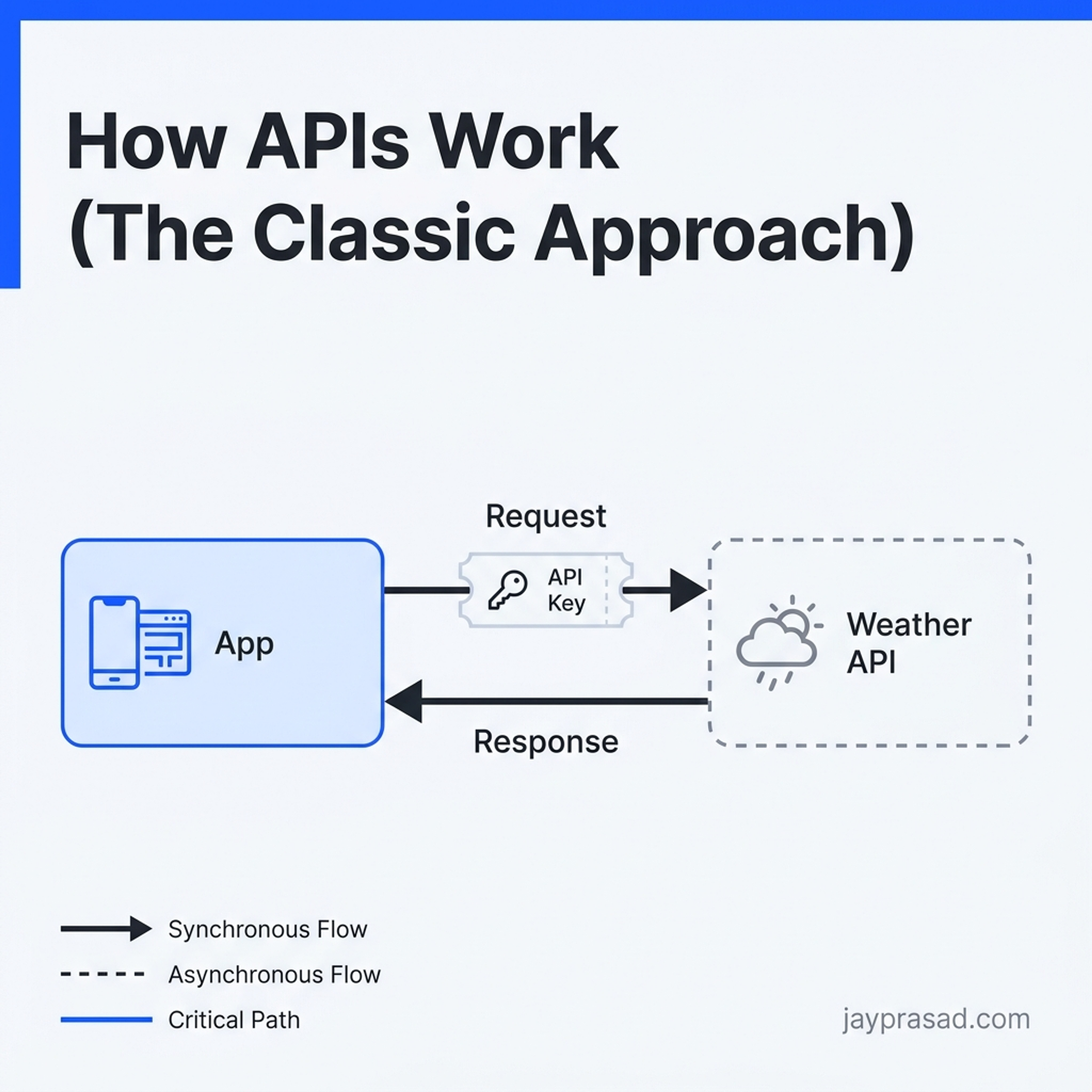
Here's something important. You can't just walk up to any API and start making requests. Most APIs require something called an API key. Think of it like a VIP pass — the service needs to know who you are and whether you're allowed to access its data. This process is called authentication, which just means proving your identity. Without the right key, the API won't talk to you. It's a security measure, and honestly, it makes total sense. You wouldn't want random strangers pulling data from your systems either.
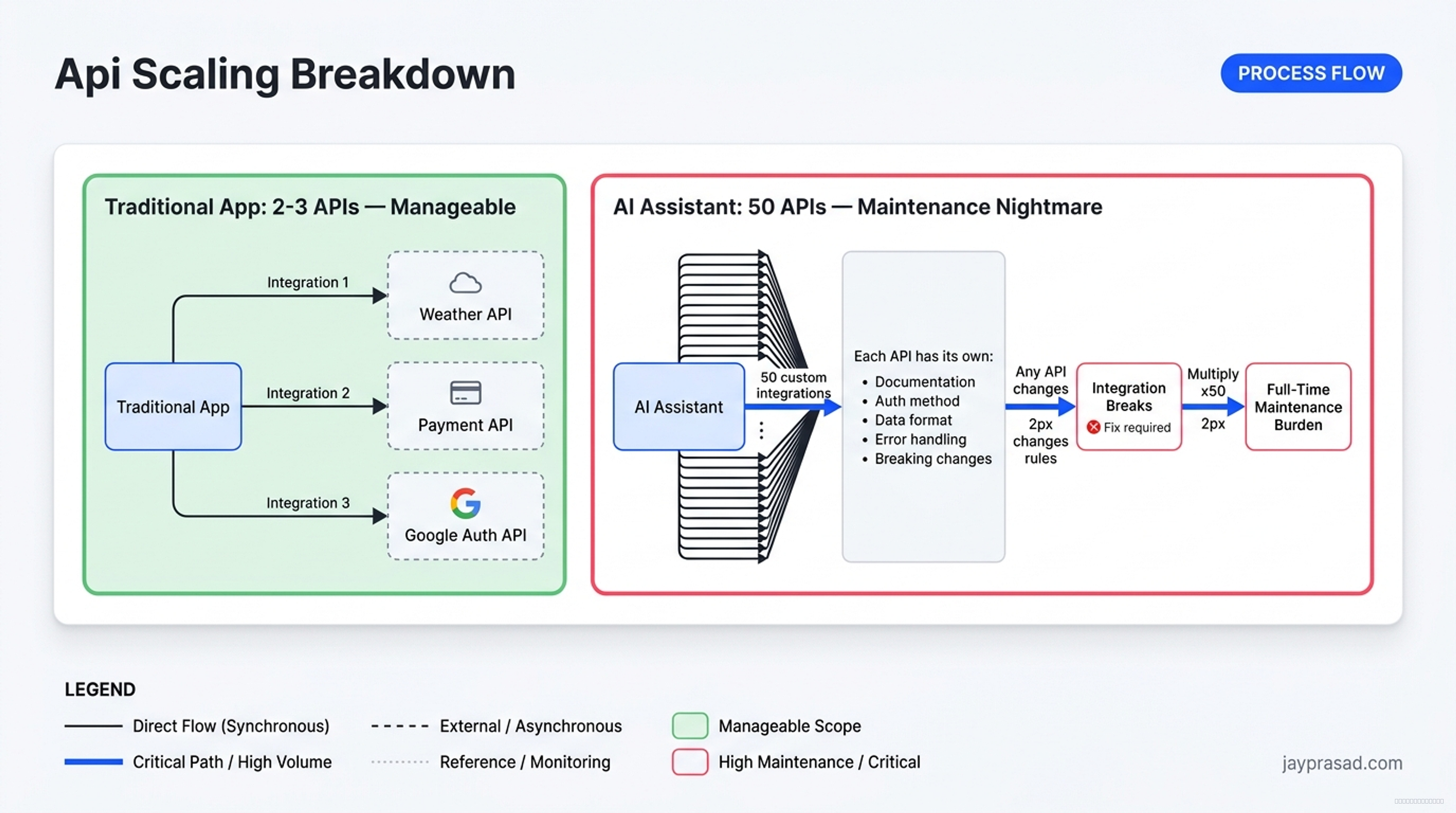
This is where things get tricky. Remember how we talked about AI being a brain without hands? It needs outside tools and data sources to do useful work in the real world. If you want your AI to check someone's calendar, that's one API. Send an email? Different API. Look up a customer record? Another one. Pull a file from cloud storage? Yet another. Each of these APIs has its own rules, its own format, its own authentication method, and its own quirks. A developer has to write custom integration code for every single connection — reading documentation, writing specific instructions, handling errors, testing everything individually. One connection might take a few hours. Ten connections? Weeks.
And here's where the real pain shows up. When you're building a traditional app that talks to two or three services, APIs are perfectly fine. Manageable. Predictable. But AI is different. A truly useful AI assistant might need access to dozens of tools — your calendar, your email, your documents, your databases, your project management software, your analytics platform. Each one requires its own handcrafted connection. If any of those APIs change their rules — and they do — your integration breaks and someone has to go fix it. Multiply that across fifty tools and you've got a full-time maintenance nightmare. The system that works beautifully for simple connections starts to buckle under the weight of all that complexity.
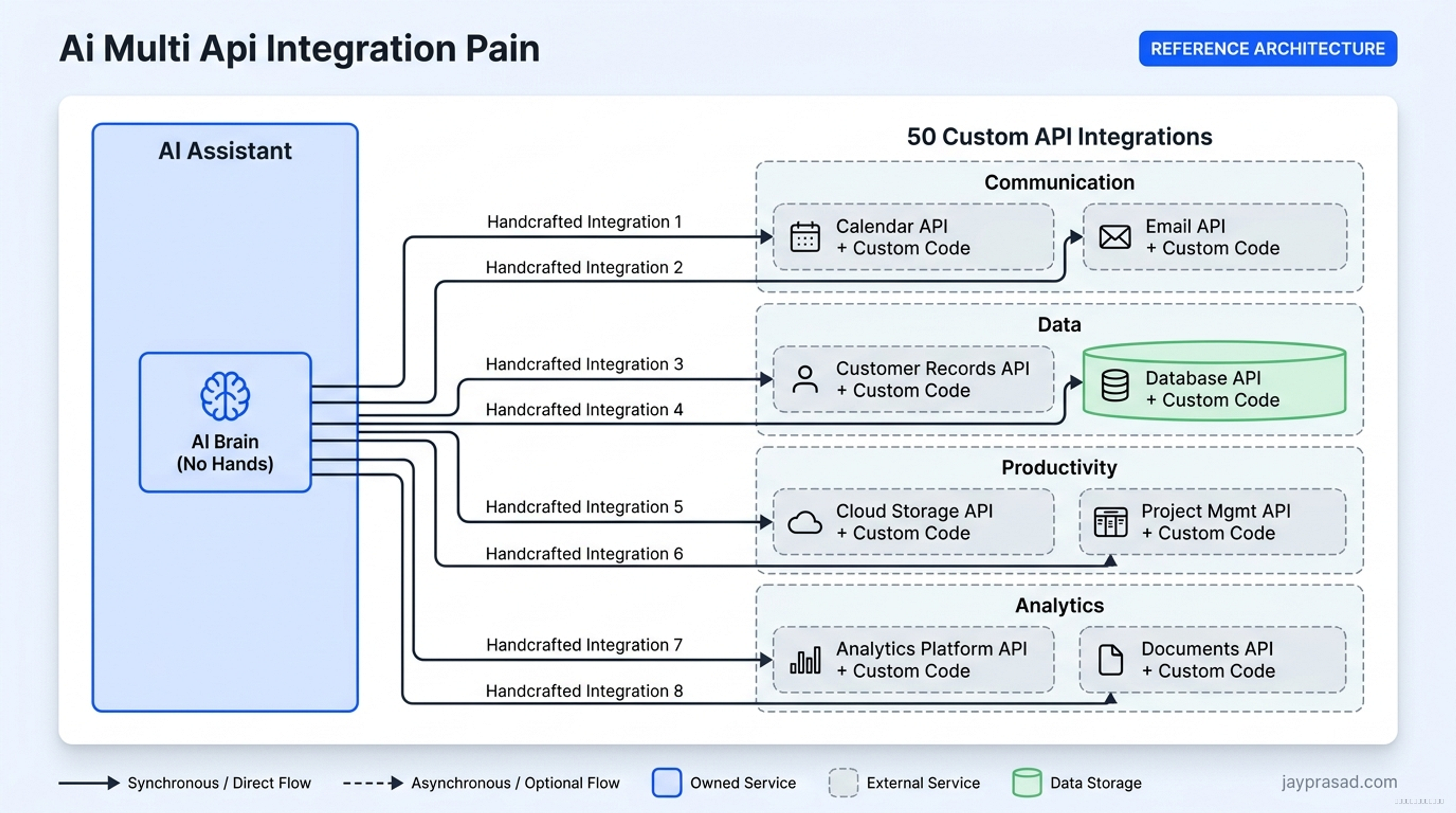
APIs work great for what they were designed to do. But imagine your AI needs fifty different tools. That's fifty integrations to build and maintain. Fifty sets of documentation to read. Fifty things that can break independently. What if there was a way for AI to handle all of that without the overhead?
Coming up next
APIs work great, but imagine your AI needs 50 different tools. That's 50 different integrations to build and maintain. What if there was a way for AI to just find and use tools on its own?